NoMachine for Windows / Issue on windows 10 resoluton / Reply To: Issue on windows 10 resoluton
December 3, 2015 at 10:39
#9245
 graywolf
Participant
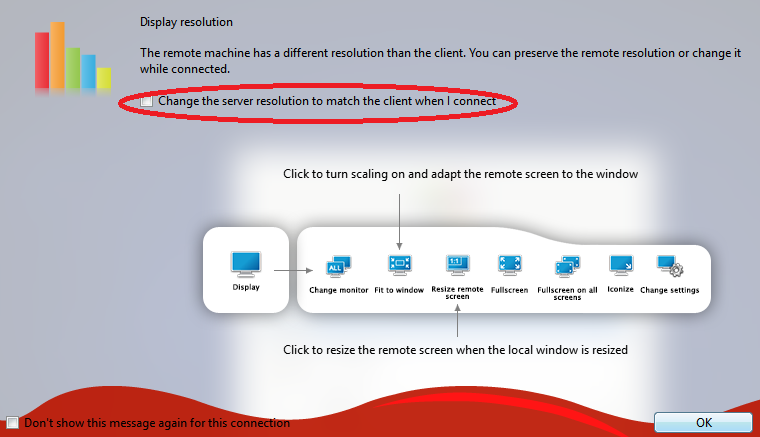
Hello. One of the following actions will help:
- Try also “Fit to window”.
- Try to switch on/off the checkbox “Change the server resolution to match the client when I connect” in the dialog you see just after the session is connected (see image).
- In the remote desktop, use Display Settings to change resolution
- or open a terminal and use command “xrandr” to see the available resolution and set the preferred one.