Color tearing or smearing

Forum / NoMachine for Linux / Color tearing or smearing

Viewing 2 posts - 1 through 2 (of 2 total)
  • Author
    Posts
  • #55961
    apaksl
    Participant

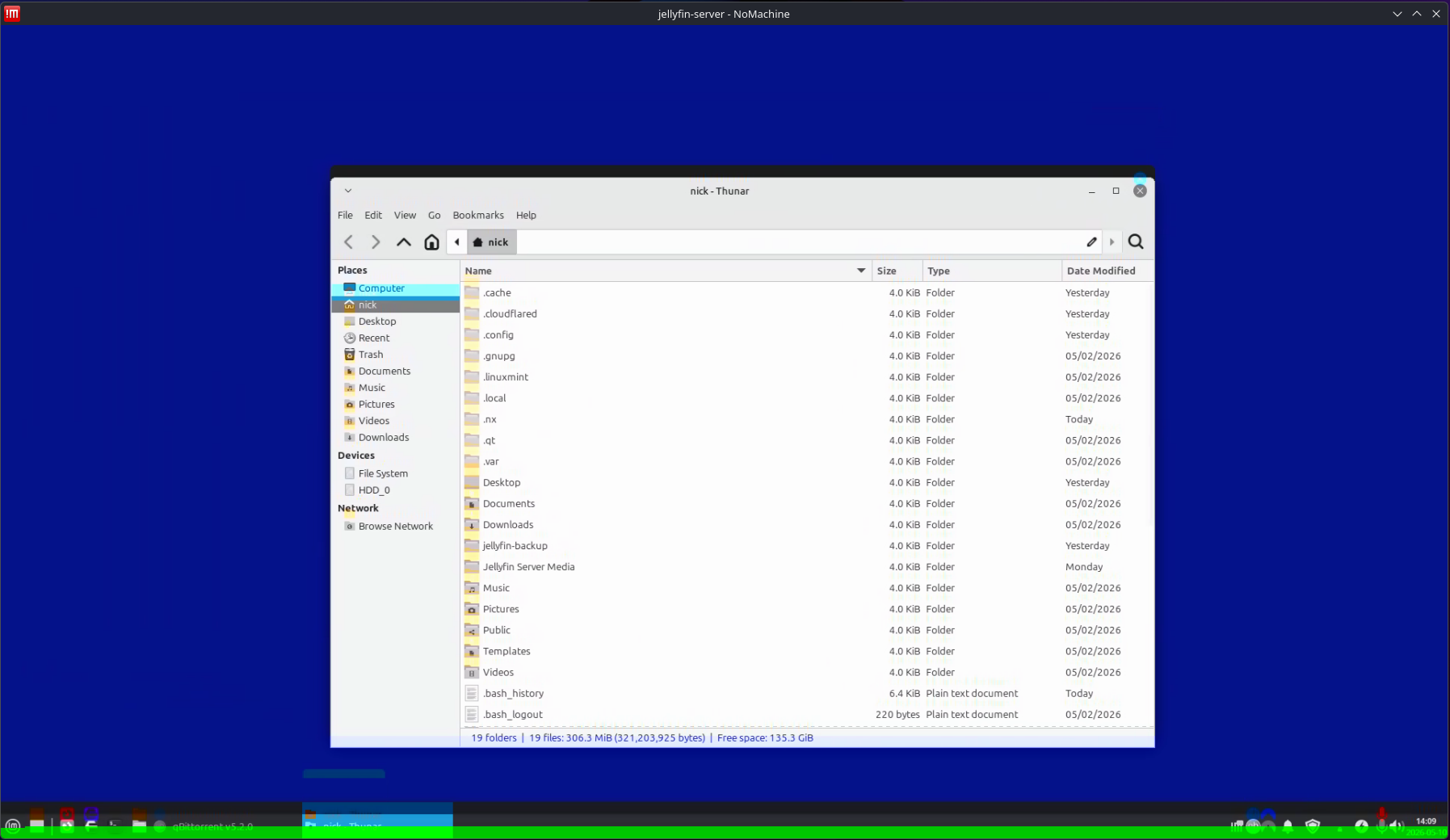
    I’m getting some weird color tearing, as shown in the attached image. I’ve tried disabling Hardware Encoding and/or Use Acceleration for Display Processing from the computer I am connecting to, neither of which (or both) make any effect. The PC I am connecting to is running Mint XFCE, and I am connecting from a computer running Bazzite KDE.

    Interestingly, if I reboot my Bazzite PC into Windows 10 the color tearing is not present. Similarly, if I connect from a separate laptop running Bazzite KDE I also do not have any color tearing. I am a linux noobie, please be kind 🙂 Thanks!

    #55972
    Britgirl
    Keymaster

    When you reproduce the problem, can you send us the logs from the device you are connecting from? See the following document for instructions: https://kb.nomachine.com/DT08U00299#2. You can attach them here or, if you prefer, send them to forum[at]nomachine[dot]com using the topic’s title as the subject.

    After you’ve done that, try disabling hardware decoding on the client side. Inside the session, bring up the menu (Ctrl+Alt+0 or click on the page peel at the top right corner of the window). Then click on Display -> Change settings. In that panel click on the Modify button to open the advanced display settings. Click on ‘Disable client side hardware decoding’ to disable it. Does this change anything?

Viewing 2 posts - 1 through 2 (of 2 total)

You must be logged in to reply to this topic. Please login .

