No Lock Screen button

Forum / NoMachine for Windows / No Lock Screen button

  • This topic has 8 replies, 2 voices, and was last updated 2 weeks ago by pdb.
Viewing 9 posts - 1 through 9 (of 9 total)
  • Author
    Posts
  • #55791
    pdb
    Participant

    Using: Windows client, Linux virtual desktop, Mate desktop.

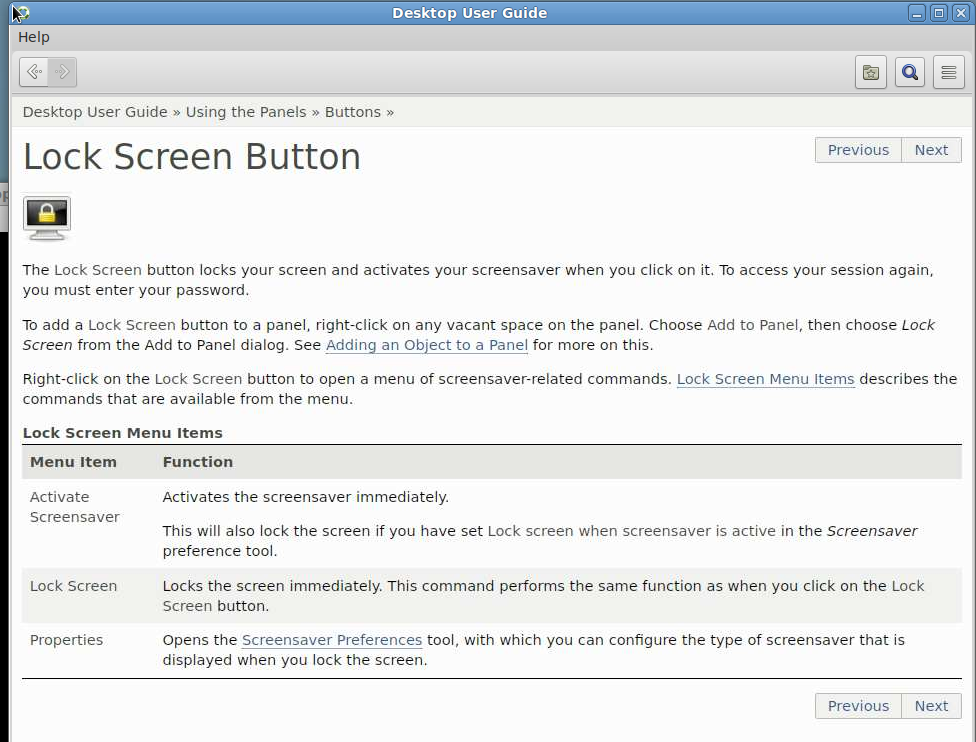
    The Desktop User Guide mentions a Lock Screen button.
    But it does not show up in the list of items when I try to add it to the Panel.

    How to get this button?


    #55800
    Britgirl
    Keymaster

    Can you point us to the guide you are referring to? Perhaps you mean the blank screen feature which is for blanking the physical display of the target host?

    https://www.nomachine.com/support/documents/protecting-the-host-screen-during-a-remote-control-session

    #55801
    pdb
    Participant

    Right click panel, Help, Buttons, Lock Screen Button.

    #55808
    Britgirl
    Keymaster

    This looks related to the desktop, and not caused by NoMachine. Run gnome-extensions list -d to know what shell extension is installed and its version.

    #55810
    pdb
    Participant

    Using Mate, not Gnome.
    gnome-extensions not found.

    #55818
    Britgirl
    Keymaster

    Apologies, you already mentioned it was Mate. We’re not able to reproduce this issue at all. Can you send us the client-side logs to start with? Connect to the problematic desktop, open the NoMachine connection menu (Ctrl-Alt-0) > Connection Info > Take logs. Send us that file, please. You can attach it here or send direct to forum[at]nomachine[dot]com.

    #55819
    pdb
    Participant

    File attached.

    #55839
    Britgirl
    Keymaster

    It seems this is caused by Mate and not NoMachine. Try using a later version of Mate (>1.24) if possible.

    #55845
    pdb
    Participant

    Will try a newer version of Mate.
    We are using RHEL8, and it seems there are no newer Mate versions on this distro.
    So, we would first need to migrate to RHEL9. We are actually planning to do that anyway, but later this year.
    Anyway, thanks for the support!

Viewing 9 posts - 1 through 9 (of 9 total)

You must be logged in to reply to this topic. Please login .

